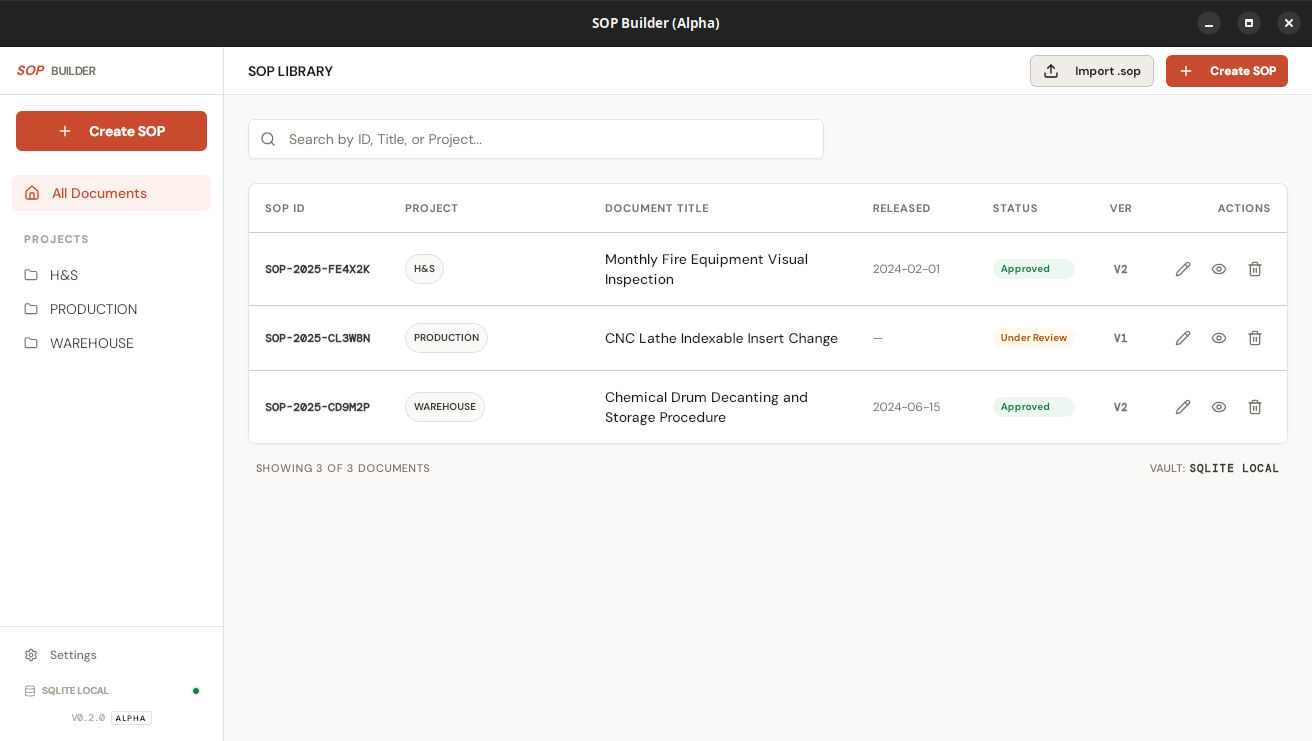
A professional-grade, offline-first desktop app for creating, editing, and exporting Standard Operating Procedures. No cloud. No login. No subscriptions.
Give it a title, fill in the purpose, scope, safety notes, and list the tools and materials required.
Add numbered steps with written instructions and annotated photos. Draw arrows, circles, and labels directly in the app.
Generate a print-ready PDF in one click, or export as a portable .sop bundle to share offline with anyone running SOP Builder.
All SOPs live in a local SQLite database on your machine. No account required, no data leaves your network.*
* AI text enhancement is opt-in and sends only the field you explicitly enhance to the AI provider you configure with your own API key. Nothing is sent automatically.
Purpose, scope, safety notes, tools, items, and sequential steps — each field has a home. Auto-saves as you type.
Attach annotated photos to each step. Draw arrows, circles, and labels directly in the app.
Generate a printable, text-selectable PDF from any SOP in one click. No formatting work required.
Export any SOP as a self-contained .sop file. Share it offline, import it anywhere SOP Builder is installed.
Log every revision with notes, approver, and date. Full audit trail built in, no plugins needed.
Rewrite any prose field with one click using your own Anthropic, OpenAI, or Gemini API key. Improves clarity without changing your content.
Translate steps and header fields into Hindi, Tamil, Malayalam, Kannada, Telugu, or Marathi using your own AI provider. PDFs and the in-app viewer show the translation alongside the original English, with an unreviewed-AI disclaimer — English stays the authoritative version.
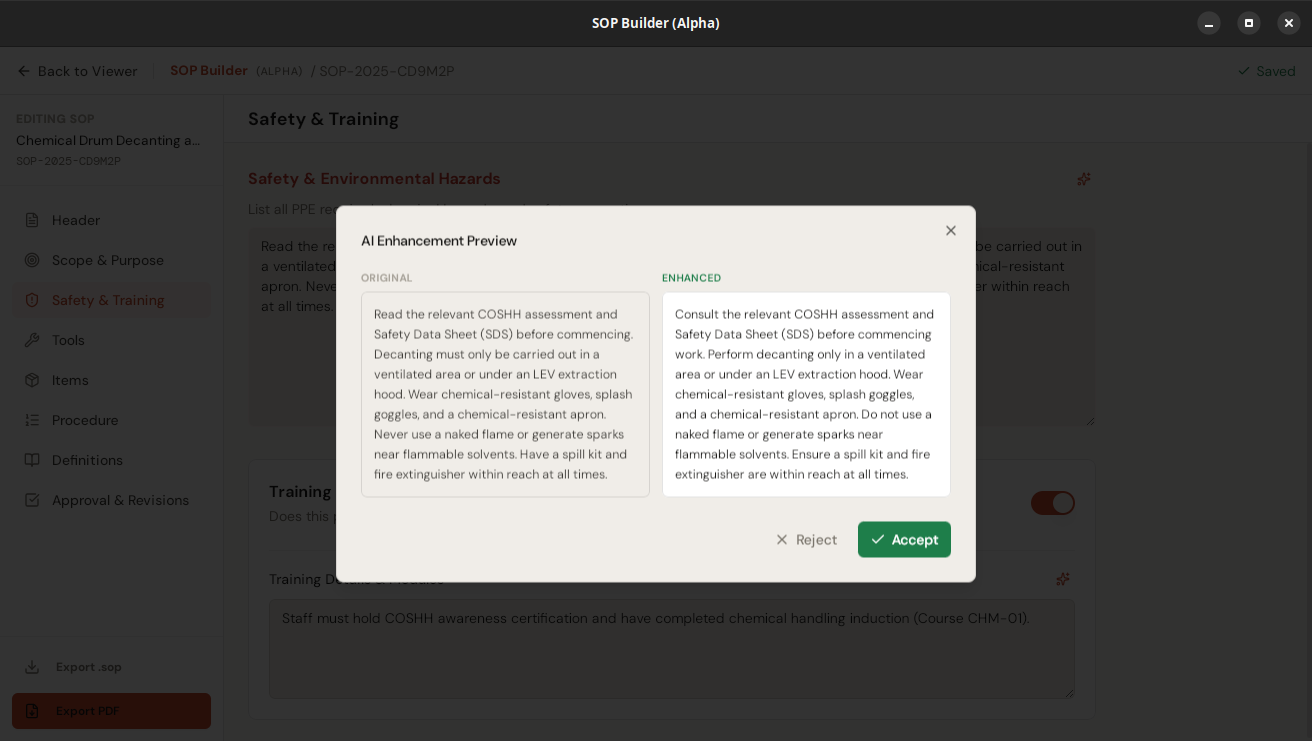
AI enhancement — original vs. rewritten, side by side
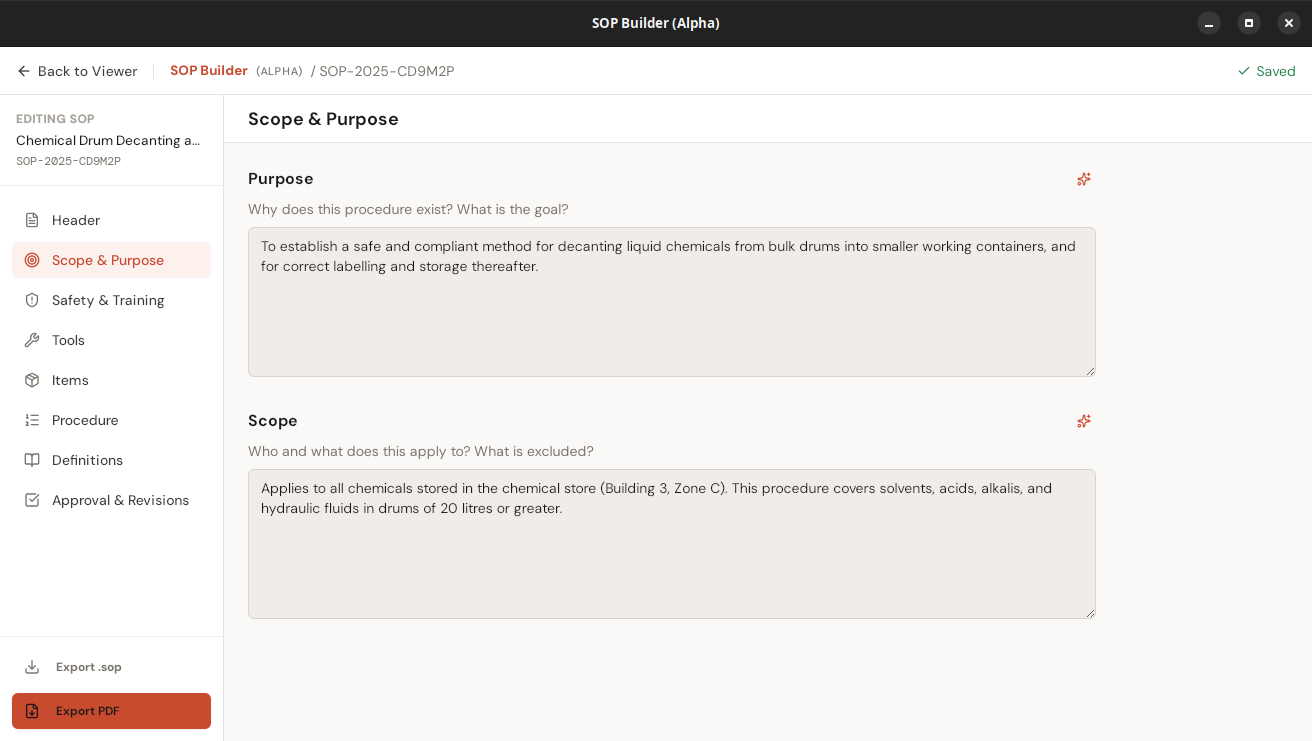
Sparkle button on every prose field
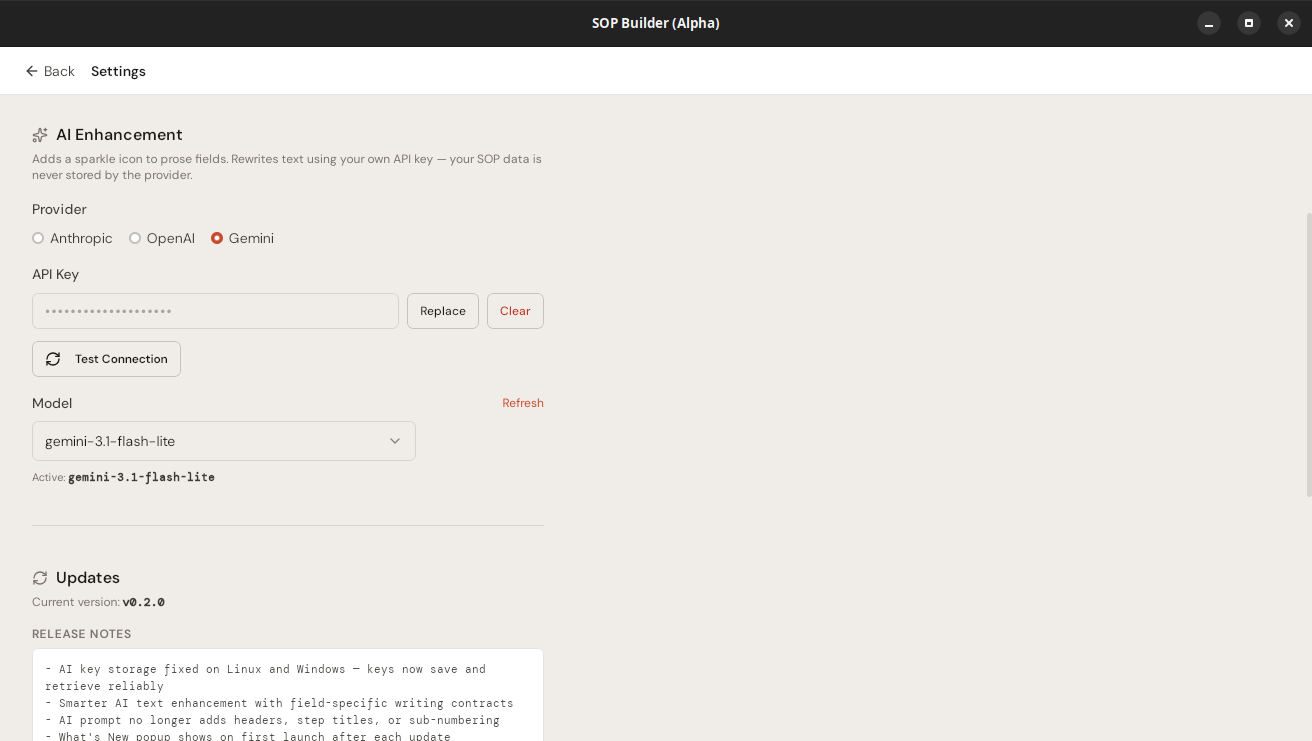
Configure your AI provider and model
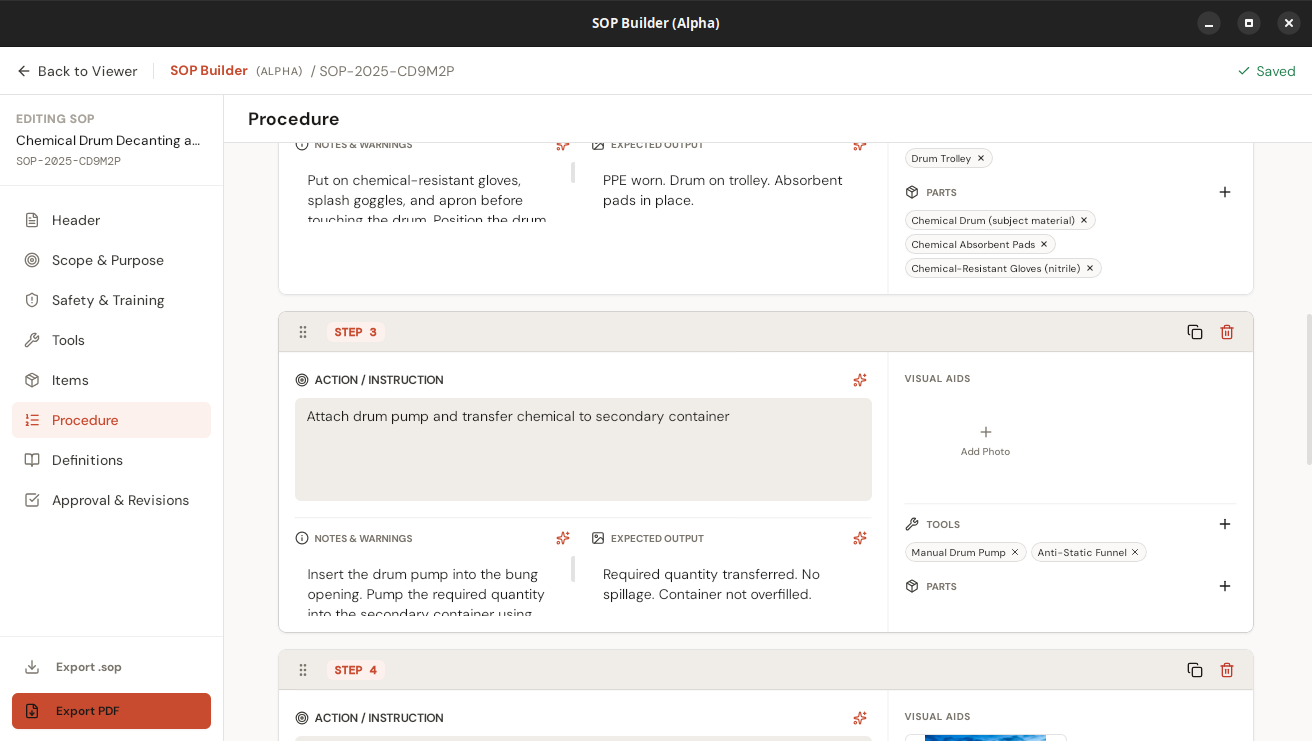
Procedure editor with linked tools and parts
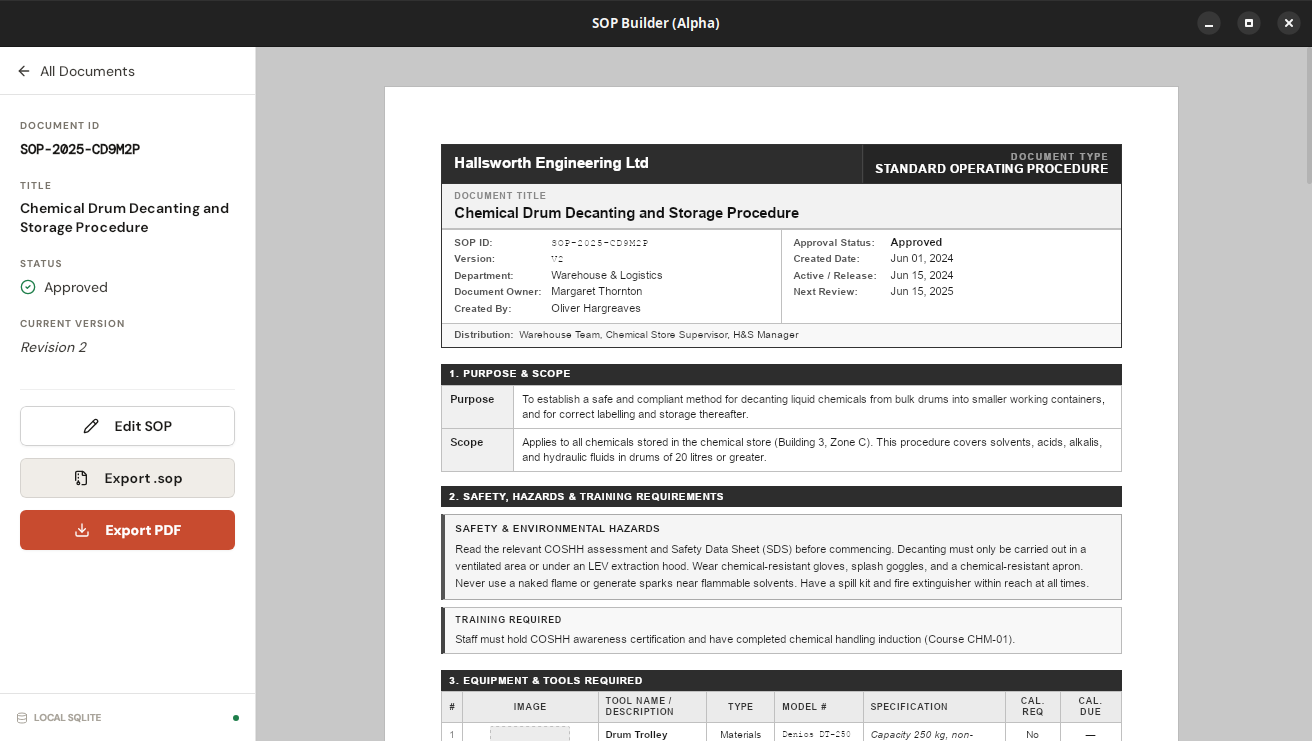
Formatted document viewer
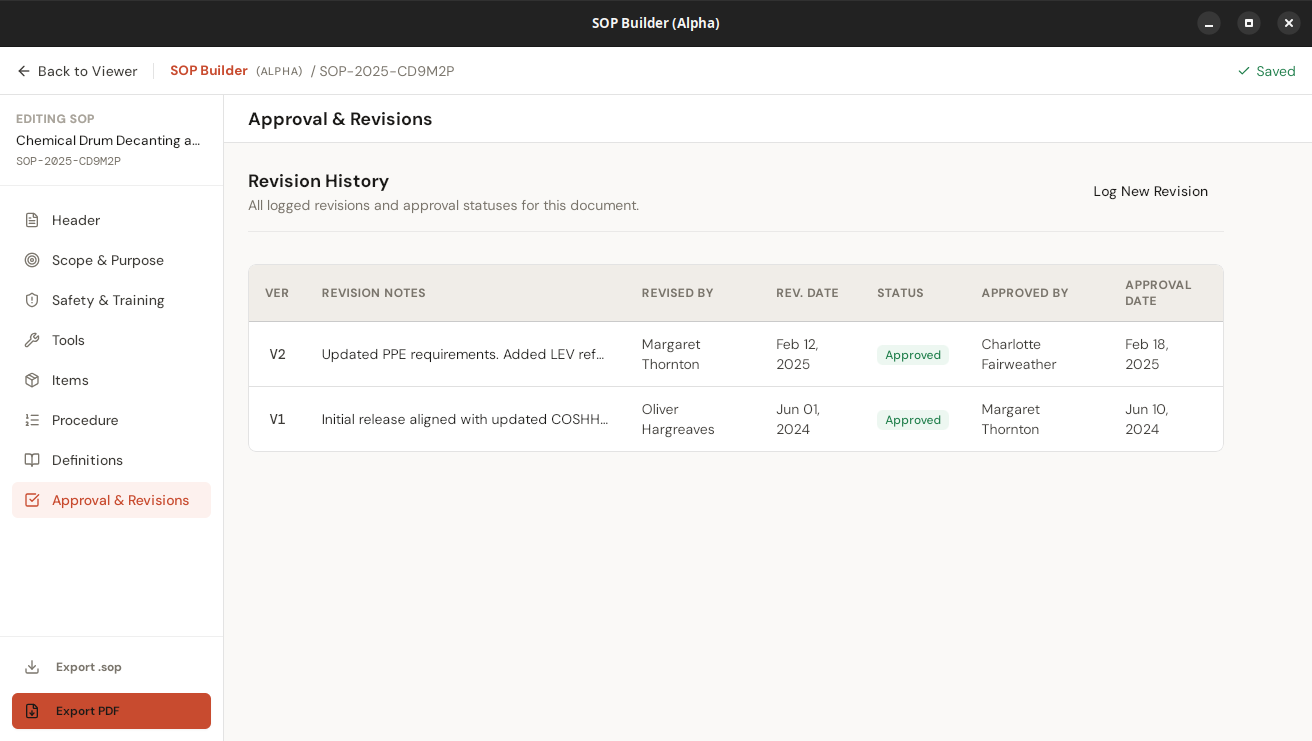
Full revision audit trail
Available for Windows, Linux, and macOS. Free to use, forever.
xattr -cr /Applications/sop-builder.app in Terminal, then launch normallyLoading release history…
.sop bundles all work with no internet. The only exceptions are the optional AI text enhancement and multilingual translation features, which contact the AI provider you configure — both require you to add your own API key and are never used unless you trigger them explicitly.
%APPDATA%\sop-builder. On Linux: ~/.local/share/sop-builder. On macOS: ~/Library/Application Support/sop-builder. Nothing is transmitted or synced anywhere.
.sop bundles from within the app — each bundle is self-contained with all images. You can also copy the entire database file from the app data directory. During the alpha period we recommend regular exports for anything you can't afford to lose.
.dmg from the releases page. The app is unsigned — if you see "damaged and can't be opened", open Terminal and run: xattr -cr /Applications/sop-builder.app, then launch normally. Subsequent launches and auto-updates are unaffected. Intel Mac (x86_64) is not supported.